
CinemachineVirtualCameraAim.md 917 B
Aim properties
Use the Aim properties to specify how to rotate the Virtual Camera. To change the camera’s position, use the Body properties.
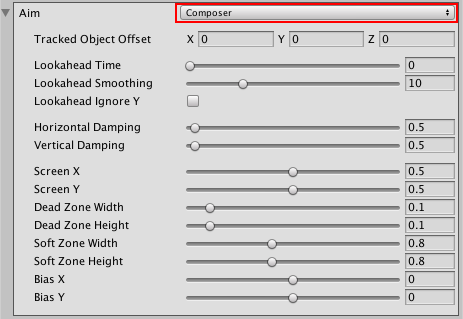
Composer: Keep the Look At target in the camera frame.
Group Composer: Keep multiple Look At targets in the camera frame.
Do Nothing: Do not procedurally rotate the Virtual Camera.
POV: Rotate the Virtual Camera based on the user’s input.
Same As Follow Target: Set the camera’s rotation to the rotation of the Follow target.
Hard Look At: Keep the Look At target in the center of the camera frame.