
CinemachineImpulseFixedSignals.md 1.6 KB
Using Fixed Signals
The CinemachineFixedSignal Asset class is a simple 3D curve definition that lets you draw the curves yourself. Cinemachine Impulse either stretches or loops the curve to fit it in the attack-sustain-decay envelope, according to your specification in the Impulse Source.
Connecting a fixed signal to an Impulse Source
To connect a fixed signal Asset to an Impulse Source, locate it in the Project view and drag it onto the Raw Signal field in the Impulse Source Inspector.
Creating a new fixed signal
To create a new fixed signal Asset:
In the Impulse Source Inspector, click the gear icon next to the Raw Signal field and choose New Fixed Signal.
When prompted, give the new Asset a name and choose a location to save it to.
Locate the new Asset in the Project view and select it to open the Fixed Signal Inspector.

The Inspector displays a preview of the curve for each axis. Click a preview pane to define your own curve for that axis. If you leave it blank, there is no movement along that axis.
- Click a preview curve to open the Curve editor, where you can edit the curve for that axis.
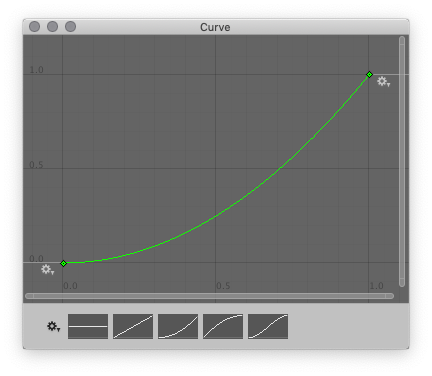
Click one of the thumbnails at the bottom of the window to apply a curve preset. You can then edit the curve:
- Drag the control points and Bezier handles to change the shape of the curve.
- Click the gear icon next to the preset thumbnails to open the Presets window, where you can click New to add your current curve to the curve presets library.